
How to install the VetNotes Chrome Extension
1. Go to the Chrome Store: https://go.vetnotes.com/ce
Section titled “1. Go to the Chrome Store: https://go.vetnotes.com/ce”2. Press “Add to Chrome”
Section titled “2. Press “Add to Chrome””
3. Press the puzzle icon in the top right of Chrome
Section titled “3. Press the puzzle icon in the top right of Chrome”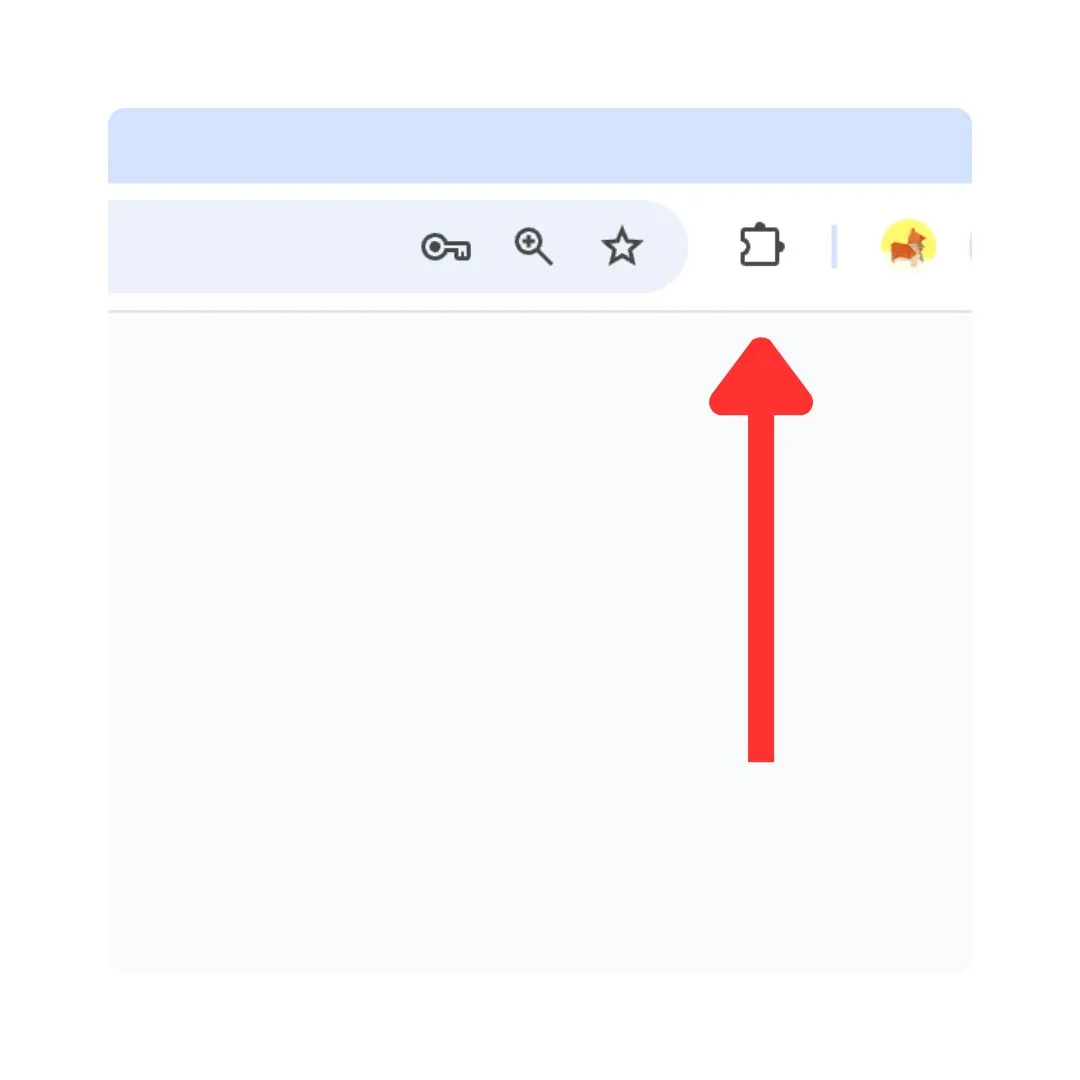
4. Press the pin icon next to VetNotes
Section titled “4. Press the pin icon next to VetNotes”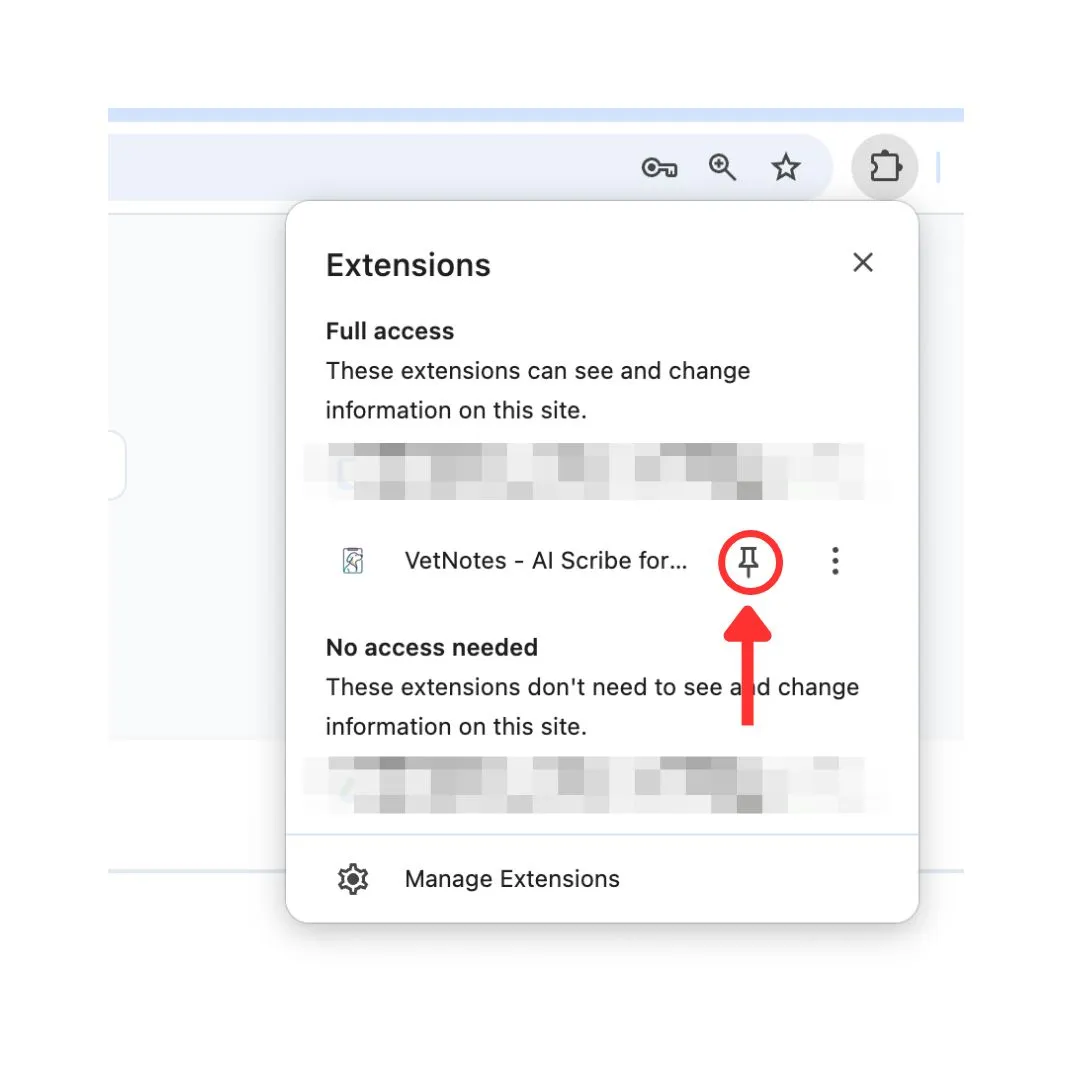
5. The VetNotes icon will now open & close the extension
Section titled “5. The VetNotes icon will now open & close the extension”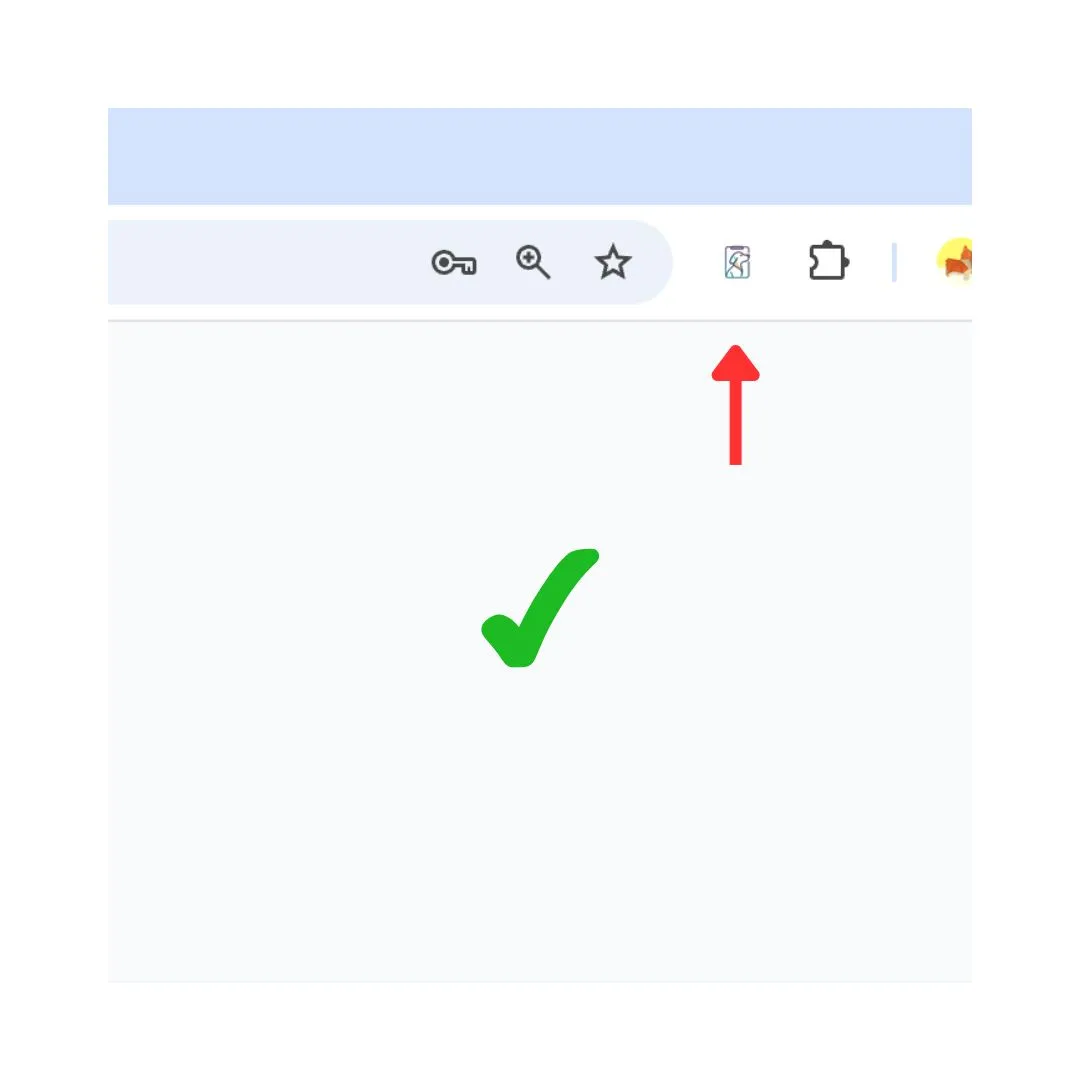
6. Press the VetNotes icon to open the extension. Login to you VetNotes account.
Section titled “6. Press the VetNotes icon to open the extension. Login to you VetNotes account.”You’ll only need to login once.