Deleting Templates
Step 1 - Go To Templates
Section titled “Step 1 - Go To Templates”Log in to your VetNotes account and click the Templates tab at the top of your dashboard.
Step 2 - Select a Template
Section titled “Step 2 - Select a Template”Choose the custom template you want to delete. Please note that only templates you have created yourself can be deleted — templates made by the VetNotes team cannot be removed.
Step 3 - Click Edit
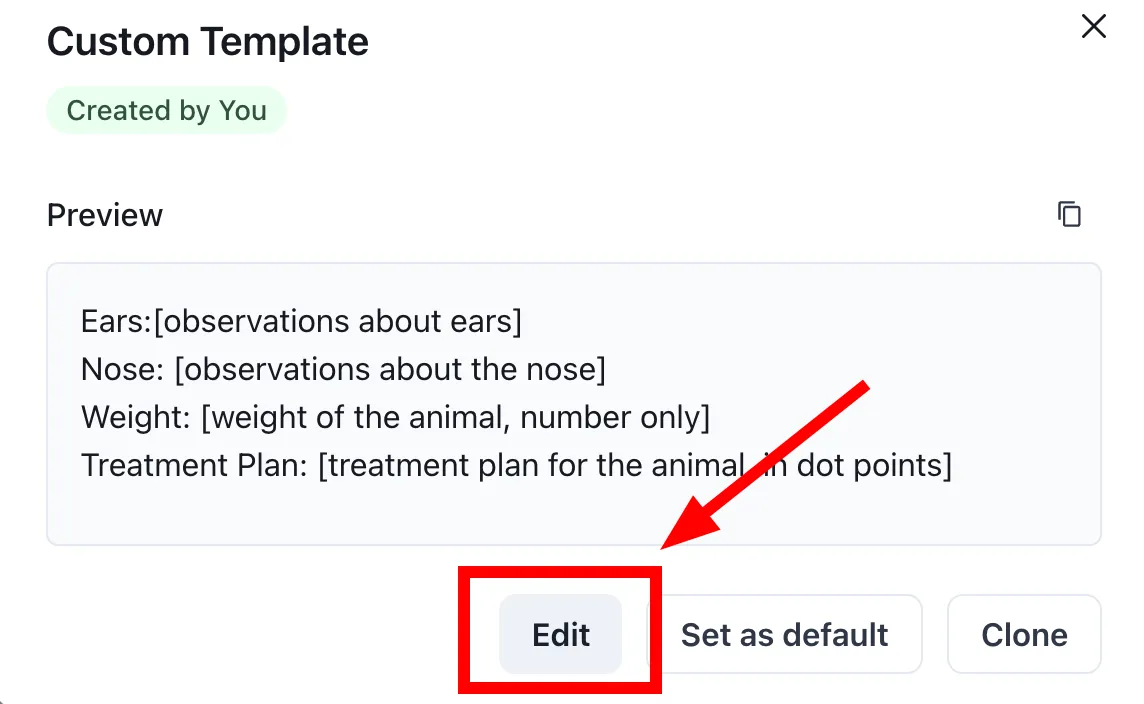
Section titled “Step 3 - Click Edit”Click the Edit button to open the template builder.
Step 4 - Tap the trash icon
Section titled “Step 4 - Tap the trash icon”In the template builder, look for the trash icon in the upper right corner of the page and tap it.

Step 5 - Confirm deletion
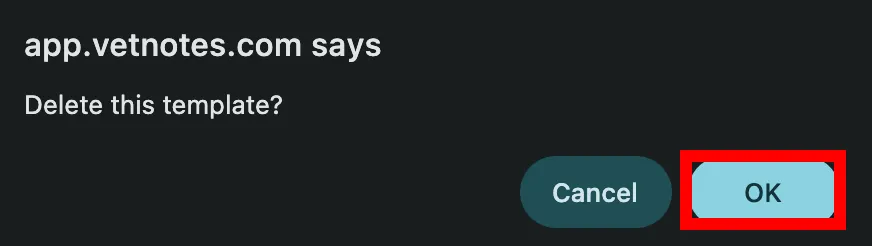
Section titled “Step 5 - Confirm deletion”VetNotes will ask you to confirm. Tap OK, and the template will be permanently deleted.