
How to use the organisation dashboard
Use the organisation dashboard to see how your clinics use VetNotes, and to manage each clinic’s staff.
Step 1: Open the dashboard
Section titled “Step 1: Open the dashboard”Go to Settings and click Administrator dashboard.

The dashboard opens on Clinics, a list of every clinic in your organisation. Use the menu on the left to move between Clinics, Analytics and Note editing. Click Back to App to return to VetNotes.
Step 2: Check how each clinic uses VetNotes
Section titled “Step 2: Check how each clinic uses VetNotes”Click Analytics. Choose a clinic, or leave it on All clinics, and pick a time period, like Last 30 days.
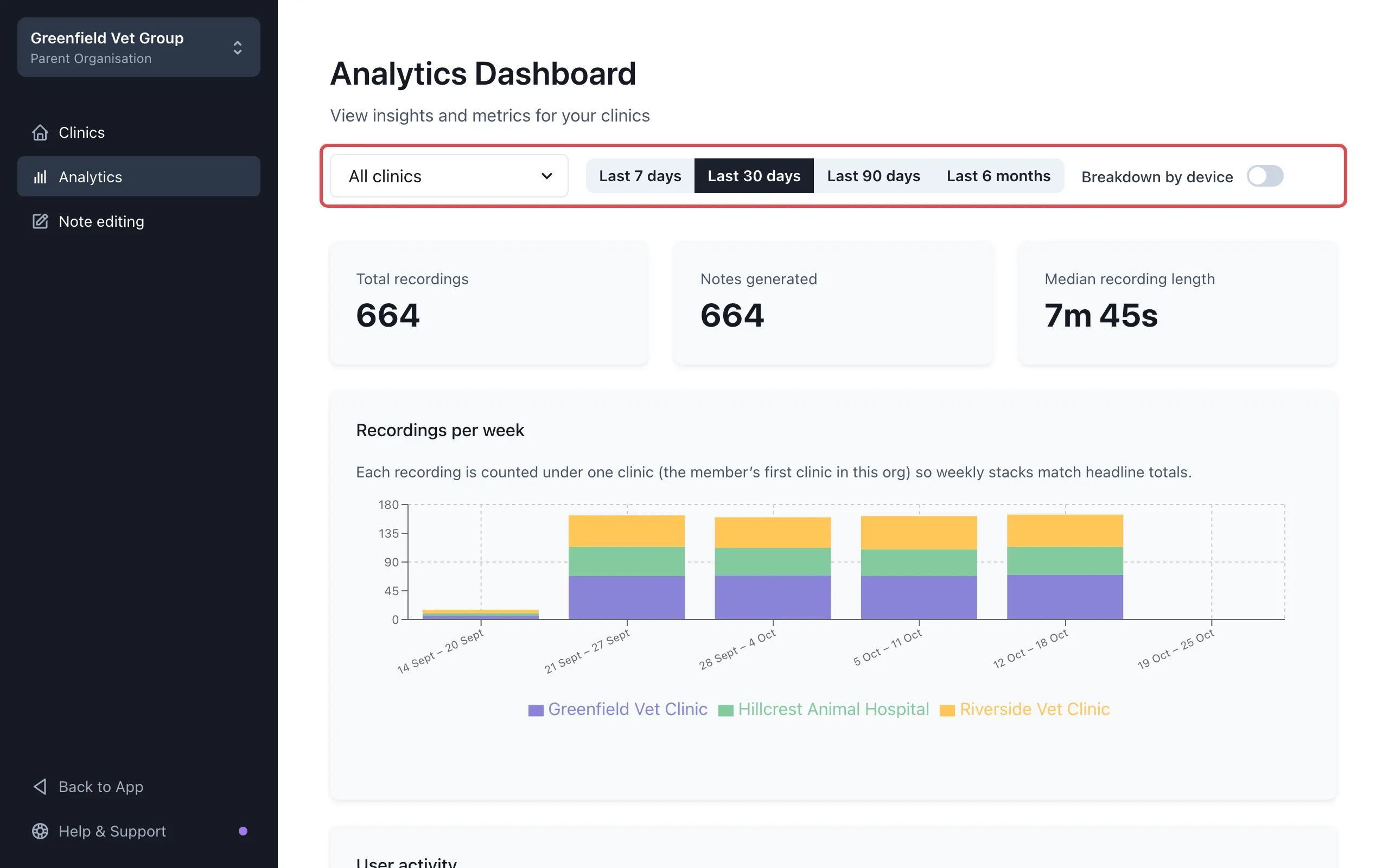
You’ll see:
- Total recordings, Notes generated and Median recording length (the typical length of a recording).
- Recordings per week, with a colour for each clinic.
- User activity: recordings, notes and typical recording length for each person.
Turn on Breakdown by device to see how many recordings came from each device.
Step 3: Open a clinic
Section titled “Step 3: Open a clinic”Click Clinics, then click a clinic, for example Greenfield Vet Clinic. You’ll see its staff, any pending invitations and its settings.
Step 4: Invite new staff
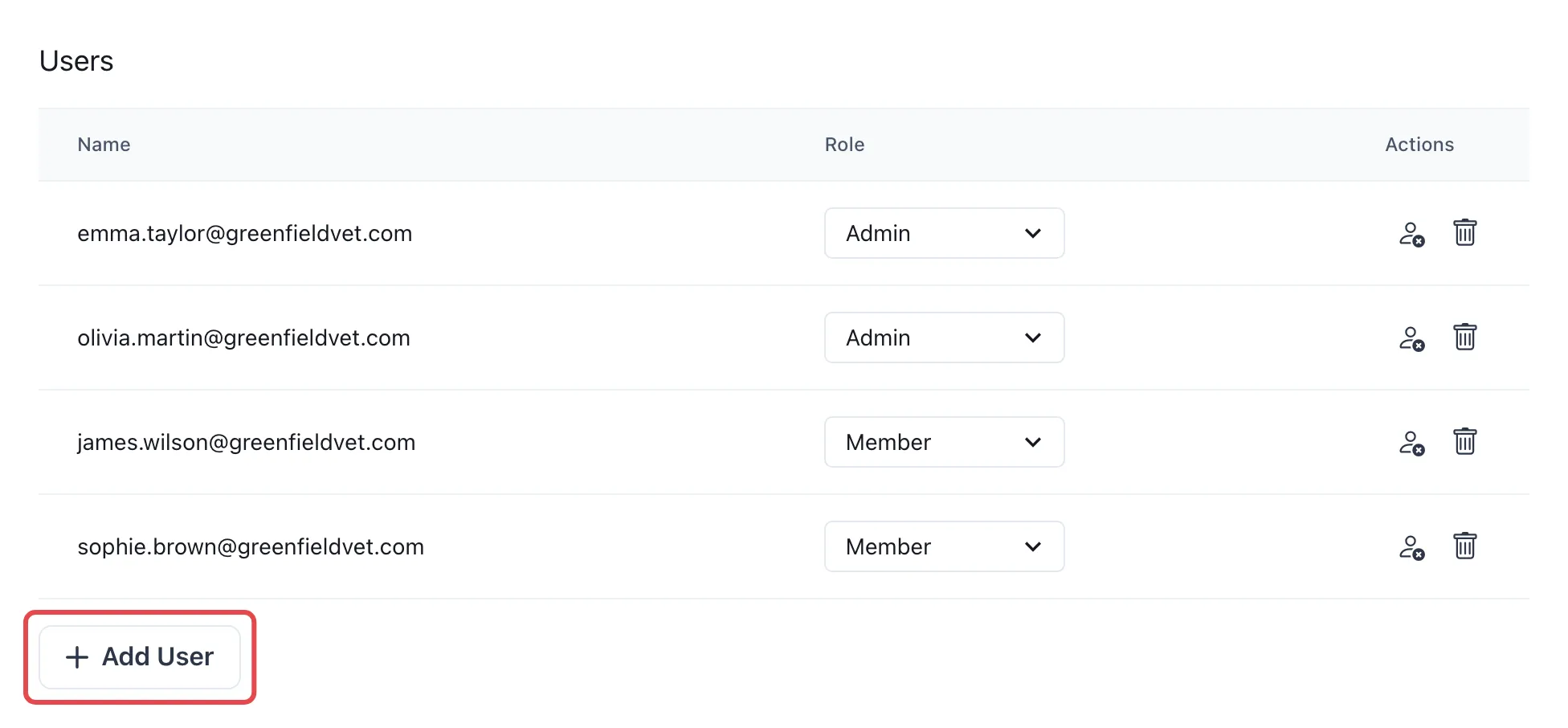
Section titled “Step 4: Invite new staff”- Click Add User.
- Enter one or more email addresses, separated by commas, like
emma.taylor@greenfieldvet.com, james.wilson@greenfieldvet.com. - Click Invite.
Each person gets an email with a link to join the clinic.
Step 5: Change roles or turn off access
Section titled “Step 5: Change roles or turn off access”Next to each person:
- Role: choose Admin or Member. Admins can change the clinic’s settings in VetNotes.
- Deactivate user (the person icon): stops them signing in to VetNotes. Click it again to reactivate them.
- Remove from clinic (the bin): takes them out of this clinic.
Good to know
Section titled “Good to know”- Invitations last 7 days. Pending ones show under Invited Users. Click an address to send the invitation again.
- Deactivating someone stops them signing in to VetNotes everywhere, not just at this clinic.
- Removing someone from a clinic can’t be undone. To give them access again, invite them again.
- Each clinic needs at least one Admin, and you can’t change your own role to Member.