
How to use the VetNotes EzyVet integration
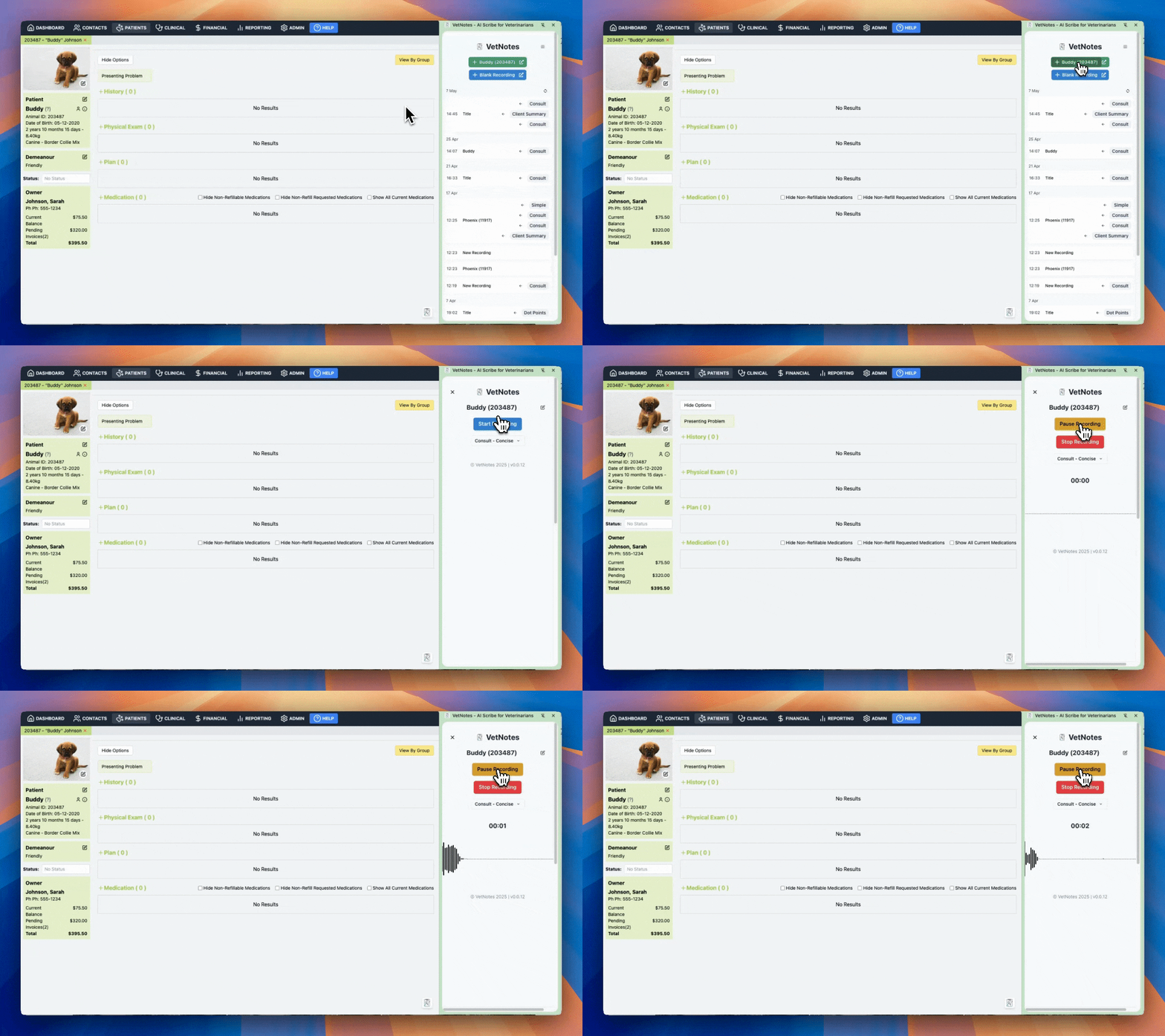
1. Record alongside EzyVet
Section titled “1. Record alongside EzyVet”- No need to leave EzyVet or change tabs
- EzyVet is still fully functional, so you can review histories, previous meds, navigate pages, etc.
- VetNotes automatically titles recordings
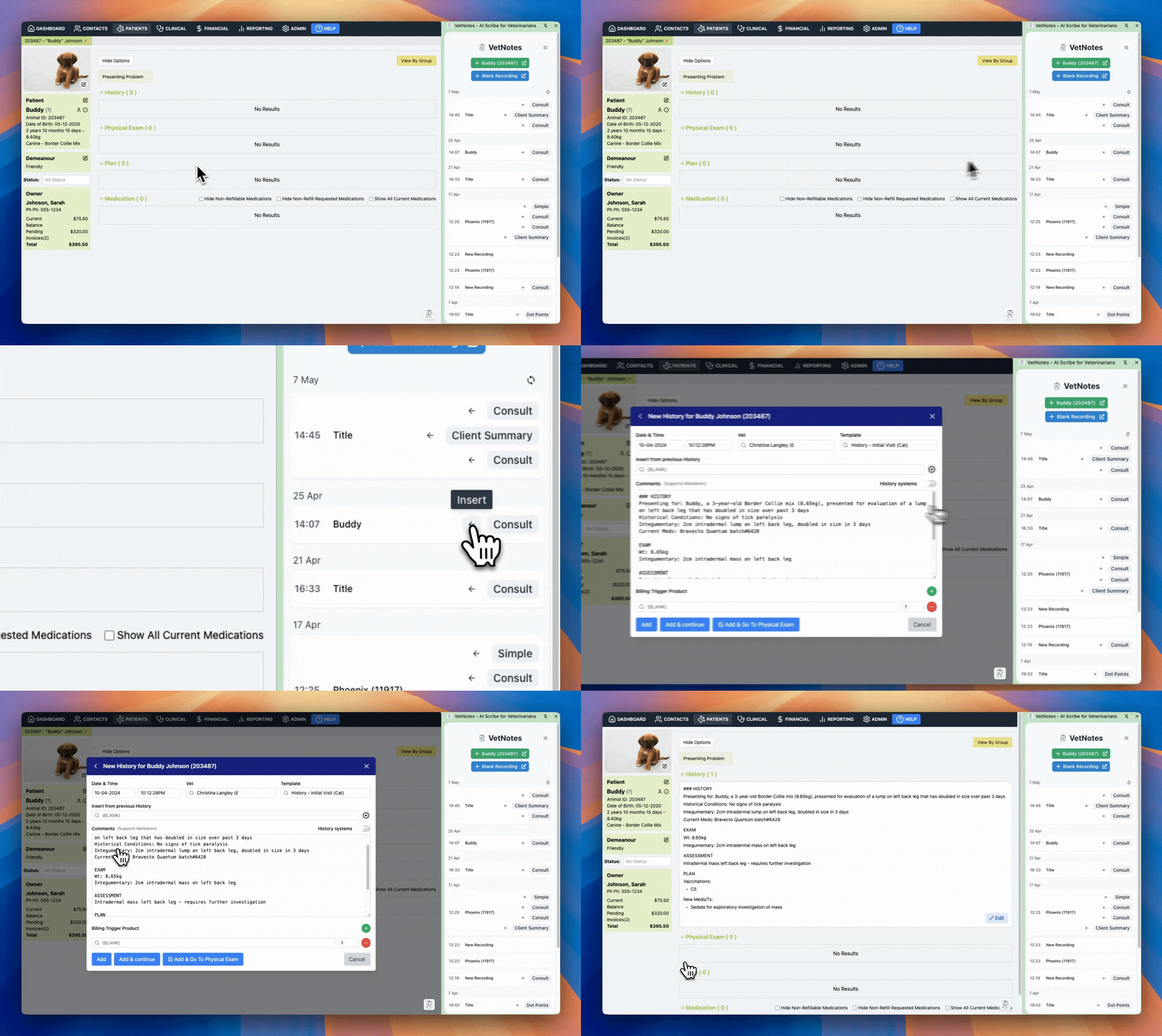
2. One-click sync to EzyVet
Section titled “2. One-click sync to EzyVet”- No copy/pasting required
- VetNotes can auto-import into History/Exam/Assessment/Plan text boxes
- Simply import, review, done!
Requirements
Section titled “Requirements”- You must be using a Chrome Web Browser
- We may support other web browsers in future. If you would like an additional browser supported, please email us at support@vetnotes.com